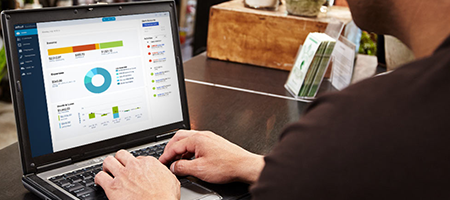
QuickBooks 2023 was released at the beginning of September 2022, HighnessCloud will provide you all edition of Quickbooks 2023 desktop products.

Showing posts with label Proseries Hosting: The ultimate tax solution. Show all posts

Saturday, May 27, 2023

Upgrade QuickBooks Desktop Pro Plus, Premier Plus, or Enterprise


To upgrade your QuickBooks Desktop Pro Plus, Premier Plus, or Enterprise to a higher edition or version, follow these steps:

  1. Determine your upgrade requirements: Identify the specific edition or version you want to upgrade to. Consider factors such as the features and functionalities you need, the number of users, and any industry-specific requirements.
  2. Backup your data: Before making any changes to your QuickBooks software, it's crucial to create a backup of your company data. This ensures you have a safe copy of your files in case anything goes wrong during the upgrade process.
  3. Purchase the new edition or version: Visit the QuickBooks website or contact an authorized QuickBooks reseller to purchase the upgraded edition or version. Choose the product that aligns with your needs and follow the purchasing instructions.
  4. Download the new software: After purchasing the upgraded edition or version, download the installation files from the QuickBooks website or follow the instructions provided by the reseller. Make sure to select the appropriate product and version during the download process.
  5. Install the new software: Once the download is complete, run the installation file and follow the on-screen instructions to install the upgraded version of QuickBooks. Ensure that you have administrative privileges on your computer for a successful installation.
  6. Open the upgraded company file: After installing the new software, open QuickBooks and select the option to open an existing company file. Locate and select your company file that was used with the previous edition or version.
  7. Upgrade the company file: QuickBooks will prompt you to upgrade your company file to work with the new software. Follow the on-screen instructions to complete the upgrade process. This may take a few minutes, depending on the size of your company file.
  8. Verify and review data: Once the upgrade process is complete, review your data to ensure everything transferred correctly. Check reports, account balances, customer and vendor information, and other data to verify its accuracy.
  9. Set up preferences and features: Explore the upgraded software and configure preferences and settings according to your business requirements. Customize features, reports, and templates to match your preferences.
  10. Learn new features: Take the time to familiarize yourself with any new features or enhancements that come with the upgraded edition or version. Refer to QuickBooks documentation, tutorials, or attend training sessions to make the most of the software's capabilities.

Remember to consult with your accounting professional or IT support if you have any concerns or questions during the upgrade process. They can provide guidance and ensure a smooth transition to the upgraded QuickBooks edition or version.


Friday, February 10, 2023

ProSeries Tax Software: Prepare Tax Return in faster way

ProSeries Tax Software: Prepare Tax Return in faster way


Adopting with new technologies has been a fear for all small, mid and enterprise businesses. In this time to make our work accurate, easier and faster every time new stuff like tools and application are require in any field. There has been more modification of the way people work in the field of tax preparation software. Previous day users use to prepare tax return and other related document on paper by their own calculation and manual work. User had use to their ledger registers and lots of other document to prepare a tax return, they had to manage their every calculation, write each entry and maintain record properly. They had to keep proper record of files for every clients and needed to check the file every time when they required searching data or information. It use to take a lot of time and large expensive to manage the resource of tax related work. The people are being advance and seeking different alternative idea to reduce their work burden and time consumption.

Now days using tax software we can work and keep our tax record in easy and secure way without paper and pencils work. ProSeries is one of such alternative software developed by Intuit that has been a perfect solution for all tax preparers companies or individual. With ProSeries application users can file preparing and filing returns in easy way. The ProSeries tax software has more advance feature that allow to tax preparers users in many way, the some advance feature are following mentioned……

·         Tax Return Preparation at a rapidly rate: With ProSeries tax software, there are no need to paper or pencil for work tax related data entry. Entire task are done electronically by software which make tax preparation easy and faster.

·         Automatic Calculation: ProSeries tax software make your work simple by doing automatically calculations. The software will provide you with reliable calculations and an efficient workflow.

·         Manage tax client accurately: ProSeries tax software has many tools that helps communicating with your clients and deliver them all information as and when they require from you and vice versa. It collects client data information without any trouble.

·         Finding tax answer rapidly: With ProSeries tax software you will get multiple feature and provide question answer related help menu which make help in tax planning. Thus you can provide your idea to clients for minimize their tax that help them saving their money.

·         Reduce cost by providing paperless solutions. Using ProSeries tax software you do not need to work on paper and neither need to files to keep record. Your all information are saved electronically that does not need to paper or file.

·         Easy to use: ProSeries tax software has built in guidance tools which make easy and simple to work on it. It is a user-friendly interface software which user enjoy while working with.

Adopting cloud technology you can increase your business value on top positon, it will be more beneficial if you move your data on cloud platform. The hosted ProSeries tax application is much more reliable and easy to work. The application hosting service providers that allow user to run and store their tax software on high speed terminal servers, and user can access files from anywhere anytime via any windows or MAC computer, browser, or mobile device. There are more benefits with hosted ProSeries software…..

  1. Easy to use and anywhere access
  2.  Multi- user access
  3.  Unparalleled Data Security
  4.  Enhance client service