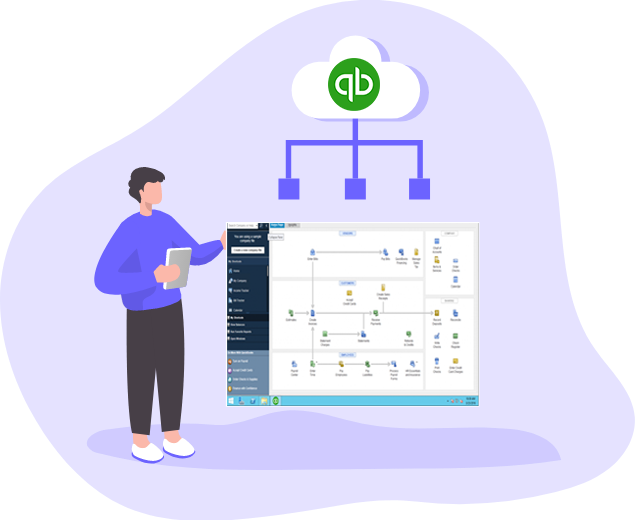
- Reduced IT Infrastructure Costs: Hosting QuickBooks in the cloud eliminates the need to invest in and maintain expensive in-house servers, networking equipment, and related infrastructure. This can significantly reduce upfront hardware costs, ongoing maintenance expenses, and the need for dedicated IT staff to manage and support the infrastructure.
- Enhanced Accessibility and Flexibility: With QuickBooks hosting, users can access their QuickBooks software and data from anywhere, at any time, as long as they have an internet connection. This level of accessibility is particularly beneficial for businesses with multiple locations, remote employees, or those that require access on the go. It also allows for seamless collaboration and real-time data sharing among team members.
- Improved Data Security and Backup: QuickBooks hosting providers prioritize data security by implementing robust security measures such as encryption, firewalls, multi-factor authentication, and regular security updates. They also typically have backup and disaster recovery mechanisms in place to protect against data loss. Hosting providers often have data centers with advanced security features, redundant power supply, and reliable backup systems.
- Scalability and Performance: QuickBooks hosting offers scalability, allowing businesses to easily add or remove users, storage space, and computing resources as needed. Hosting providers can quickly allocate additional resources to meet increased demand during busy periods or business growth. This scalability ensures optimal performance and responsiveness of QuickBooks, regardless of the size or needs of the business.
- Enhanced Integration and Add-On Compatibility: QuickBooks hosting providers often support integration with other business applications, enabling seamless data flow and streamlined workflows. This allows businesses to integrate QuickBooks with CRM systems, e-commerce platforms, time tracking tools, and other software to enhance efficiency and productivity. Additionally, hosting providers typically support a wide range of QuickBooks add-ons and extensions, further expanding the functionality and capabilities of the software.
- Automatic Updates and Maintenance: With QuickBooks hosting, hosting providers handle software updates and maintenance tasks, ensuring that businesses are always using the latest version of QuickBooks with access to new features and improvements. This eliminates the need for businesses to manage their own software updates and maintenance schedules.
Thursday, June 1, 2023
Monday, May 29, 2023
Importance of QuickBooks Hosting Services
QuickBooks hosting services offer several important benefits for businesses, accountants, and bookkeepers. Here are some key reasons highlighting the importance of QuickBooks hosting:
Accessibility and Flexibility: QuickBooks hosting allows users to access their accounting software and data from anywhere, at any time, using any device with an internet connection. This flexibility enables remote work, collaboration between multiple locations, and the ability to access financial information on the go. It enhances productivity and efficiency by providing real-time access to data whenever it's needed.
Data Security: QuickBooks hosting providers prioritize data security and implement robust measures to protect sensitive financial information. They employ encryption, firewalls, intrusion detection systems, and regular data backups to ensure data integrity and protect against unauthorized access or data loss. Hosting providers typically have advanced security infrastructure and expertise to safeguard data better than traditional local servers.
Automatic Backups and Disaster Recovery: QuickBooks hosting services often include automatic data backups and disaster recovery solutions. This ensures that your financial data is regularly backed up and stored securely. In case of a system failure, hardware malfunction, or natural disaster, the hosting provider can quickly restore your data and minimize downtime, allowing you to resume operations without significant data loss.
Scalability and Cost Savings: QuickBooks hosting services offer scalability, allowing businesses to easily adjust their resources as needed. Whether you need to add more users, increase storage capacity, or enhance processing power, the hosting provider can accommodate your changing requirements. This flexibility eliminates the need for businesses to invest in and manage expensive on-premises infrastructure, resulting in cost savings and improved resource utilization.
Collaborative Work Environment: QuickBooks hosting facilitates collaborative work environments by allowing multiple users to access and work on the same QuickBooks file simultaneously. This enhances teamwork and streamlines accounting processes, as accountants, bookkeepers, and business owners can collaborate in real-time, review financial data together, and resolve any discrepancies or issues promptly.
Technical Support and Maintenance: QuickBooks hosting providers typically offer dedicated technical support to address any issues or questions related to the hosting environment. They handle server maintenance, software updates, security patches, and ensure high system uptime. This allows businesses and accounting professionals to focus on their core tasks without the burden of IT infrastructure management.
Integration with Add-Ons and Third-Party Applications: QuickBooks hosting services often support integration with various add-ons and third-party applications. This allows businesses to extend the functionality of QuickBooks by integrating it with customer relationship management (CRM) systems, payment gateways, e-commerce platforms, time tracking software, and more. Such integrations enhance workflow efficiency and provide businesses with a tailored accounting solution.
Overall, QuickBooks hosting services offer convenience, accessibility, security, scalability, and collaborative capabilities that benefit businesses of all sizes. They provide a robust and efficient solution for managing financial data, improving productivity, and allowing businesses to focus on their core operations while leaving the technical aspects to the hosting provider.
Highness Cloud offers cost effective QuickBooks Hosting services.
Highness Cloud is a cloud hosting provider that specializes in offering cost-effective QuickBooks hosting services. By hosting QuickBooks on the cloud with Highness Cloud, users can access their QuickBooks software and data from anywhere, at any time, using any device with an internet connection.
Here are some key features and benefits of Highness Cloud's QuickBooks hosting services:
Accessibility: Highness Cloud enables remote access to QuickBooks, allowing users to work from any location and collaborate with team members seamlessly. This flexibility is especially useful for businesses with multiple offices or remote teams.
Multi-User Collaboration: Highness Cloud supports multiple users accessing QuickBooks simultaneously, enabling efficient collaboration among accountants, bookkeepers, and other team members. Users can work on the same QuickBooks file in real-time, improving productivity and minimizing errors.
Data Security: Highness Cloud prioritizes data security and implements robust security measures to protect sensitive financial information. This includes encryption, firewalls, intrusion detection systems, regular backups, and disaster recovery plans to ensure data integrity and availability.
Scalability: Highness Cloud's hosting services are scalable, allowing businesses to adjust their resources as needed. Whether you need to add more users, increase storage capacity, or enhance processing power, Highness Cloud can accommodate your changing requirements.
Cost-Effective Solution: By choosing Highness Cloud for QuickBooks hosting, businesses can reduce their IT infrastructure and maintenance costs. Instead of investing in expensive servers and hardware, businesses can leverage Highness Cloud's infrastructure, paying only for the resources they need on a subscription basis.
Support and Maintenance: Highness Cloud provides 24/7 technical support to address any issues or queries related to QuickBooks hosting. They handle server maintenance, backups, software updates, and ensure high uptime, allowing businesses to focus on their core accounting tasks.
Integration and Add-On Support: Highness Cloud supports the integration of other applications and add-ons with QuickBooks, enabling businesses to enhance their accounting processes. This includes integrating with CRM systems, payment gateways, time tracking software, and more.
It's important to note that the specific features and pricing may vary depending on the hosting package and options chosen. Before making a decision, it's recommended to evaluate Highness Cloud's offerings, compare them with other hosting providers, and consider your specific business requirements.
Overall, Highness Cloud's cost-effective QuickBooks hosting services can provide businesses with the convenience, flexibility, and security they need to efficiently manage their financial data and streamline their accounting processes.
Saturday, May 27, 2023
Most Important QuickBooks Skills To Impress Your Employer
To impress your employer with your QuickBooks skills, focus on mastering the following key areas:
- Bookkeeping Fundamentals: Develop a strong understanding of basic bookkeeping principles, including accounts payable, accounts receivable, bank reconciliation, and financial statement analysis. This knowledge forms the foundation for effectively using QuickBooks.
- QuickBooks Navigation: Familiarize yourself with the QuickBooks user interface and learn how to navigate through the different modules, menus, and features. Understand where to find and access essential functions and reports.
- Chart of Accounts: Understand the Chart of Accounts in QuickBooks and how to set it up according to your company's specific needs. This includes creating and managing accounts, sub-accounts, and categories for accurate financial tracking.
- Data Entry and Management: Master data entry techniques to efficiently record transactions, such as invoices, bills, receipts, and payments. Learn how to categorize and allocate expenses and income correctly. Practice managing customer and vendor information within QuickBooks.
- Reconciliation: Acquire skills in reconciling bank and credit card accounts within QuickBooks. Learn how to match transactions, identify discrepancies, and resolve any discrepancies effectively.
- Reporting and Analysis: Develop proficiency in generating and interpreting financial reports in QuickBooks. Understand key reports such as Profit and Loss Statement, Balance Sheet, Cash Flow Statement, and customizable reports. Learn how to analyze the data to provide meaningful insights to your employer.
- Payroll Processing: If your employer uses QuickBooks for payroll, become familiar with payroll setup, employee management, tax calculations, and generating payroll reports. Understand how to handle payroll liabilities and prepare payroll tax filings.
- Inventory Management: If your employer deals with inventory, learn how to set up and manage inventory in QuickBooks. Understand inventory valuation methods, track quantities, and handle inventory adjustments and reports.
- Customization and Advanced Features: Explore QuickBooks' customization options to tailor the software to your employer's specific needs. Learn about advanced features such as classes, locations, and custom fields to enhance data tracking and reporting.
- Troubleshooting and Technical Support: Be resourceful in finding solutions to common QuickBooks issues or errors. Familiarize yourself with the QuickBooks support resources, user forums, and knowledge base to troubleshoot problems and seek assistance when needed.
Remember, continuously expanding your QuickBooks knowledge and staying updated with new features and versions will demonstrate your commitment to professional growth and contribute to your ability to impress your employer with your QuickBooks skills.
Upgrade QuickBooks Desktop Pro Plus, Premier Plus, or Enterprise
To upgrade your QuickBooks Desktop Pro Plus, Premier Plus, or Enterprise to a higher edition or version, follow these steps:
- Determine your upgrade requirements: Identify the specific edition or version you want to upgrade to. Consider factors such as the features and functionalities you need, the number of users, and any industry-specific requirements.
- Backup your data: Before making any changes to your QuickBooks software, it's crucial to create a backup of your company data. This ensures you have a safe copy of your files in case anything goes wrong during the upgrade process.
- Purchase the new edition or version: Visit the QuickBooks website or contact an authorized QuickBooks reseller to purchase the upgraded edition or version. Choose the product that aligns with your needs and follow the purchasing instructions.
- Download the new software: After purchasing the upgraded edition or version, download the installation files from the QuickBooks website or follow the instructions provided by the reseller. Make sure to select the appropriate product and version during the download process.
- Install the new software: Once the download is complete, run the installation file and follow the on-screen instructions to install the upgraded version of QuickBooks. Ensure that you have administrative privileges on your computer for a successful installation.
- Open the upgraded company file: After installing the new software, open QuickBooks and select the option to open an existing company file. Locate and select your company file that was used with the previous edition or version.
- Upgrade the company file: QuickBooks will prompt you to upgrade your company file to work with the new software. Follow the on-screen instructions to complete the upgrade process. This may take a few minutes, depending on the size of your company file.
- Verify and review data: Once the upgrade process is complete, review your data to ensure everything transferred correctly. Check reports, account balances, customer and vendor information, and other data to verify its accuracy.
- Set up preferences and features: Explore the upgraded software and configure preferences and settings according to your business requirements. Customize features, reports, and templates to match your preferences.
- Learn new features: Take the time to familiarize yourself with any new features or enhancements that come with the upgraded edition or version. Refer to QuickBooks documentation, tutorials, or attend training sessions to make the most of the software's capabilities.
Remember to consult with your accounting professional or IT support if you have any concerns or questions during the upgrade process. They can provide guidance and ensure a smooth transition to the upgraded QuickBooks edition or version.
Thursday, March 16, 2023
The 3 major flexibilities of QuickBooks Enterprise hosting
The most admired and advanced accounting
solution QuickBooks Enterprise thrives on regular updates and improvements. This
accounting software gives the best of technology to its users and till date, it
is the most advanced version of the software.
With the power of the cloud, users are able
to have the right flexibility in their accounting operations which is very much
necessary. The QuickBooks Enterprise hosting solution is intact with the quality
of both the cloud and the QB Enterprise desktop and that’s why, it is the most
preferred cloud accounting solution among CPAs, Bookkeepers, Accountants, and
SMEs.
Having flexibility in your small business
is very much necessary because the SMEs have always more on their plate and
without the added touch of flexibility in their business solutions, their
survival becomes questionable.
The QuickBooks Enterprise solution gives
small business the power of flexibility within an economical budget. So without
burning a hole in their pocket, small businesses can still be flexible with
their accounting operations.
So let’s have a look at the different types
of flexibility offered by the robust QuickBooks Enterprise hosting solution.
The
flexibility to access
One of the major and most highlighted
flexibility offered in the QuickBooks Enterprise hosting solution is the
flexibility to access. If you are using the traditional method of accounting,
which comprises of stamps, physical invoices, papers, then you will be restricted
to your office desktop in order to access your books.
While as a QuickBooks Enterprise hosting
user, such restriction becomes meaningless. When you choose the cloud solution,
then your files and accounting software are put on the cloud server which can
be accessed from anywhere. Whether you are on the go or relaxing at your home,
you will have access to your books 24/7. Just open your device, enter the
credentials and that’s it, you are ready to work on your books from anywhere.
The
flexibility to collaborate
Another great flexibility provided by
QuickBooks Enterprise hosting to its user is the flexibility to collaborate. In
order to work as a team in the traditional form of accounting, you need to have
employees under one roof and still, they will have to go through the cumbersome
process of sending data back and forth while waiting for other employees to
complete their part of the work.
The QuickBooks Enterprise hosting solution
allows you to collaborate and give the best of teamwork efforts without a
physical office or employees under one roof. With the magic of multi-user
collaboration, you can add users to your QB on cloud and they will be able to
work as a team with real time updates even with people sitting at distant
locations.
The
flexibility to opt out
If you have chosen a hosting provider for
your QuickBooks Enterprise hosting solution and later on find that the hosting
provider chosen by you is not fit for your business, then you don’t need to
stick with them as you have the flexibility to opt out of the chosen cloud
provider at anytime of the service.
No any hosting provider includes contract for providing you the hosting services and therefor you are never bound to stick with a wrong hosting provider. You can easily switch to another hosting provider without much loss and damage.
Saturday, March 4, 2023
The striking advantages of QuickBooks multi-user access
QuickBooks multi-user mode acts as a smorgasbord of benefits
for the users. There are multiple benefits of using the multi-user mode of
QuickBooks and it can act as a great weapon for accountants and accounting firm
in their fight against competitors and the evolving technology.
The QuickBooks
multi-user access allows multiple people to work on the same file with
other connected users and thus it provides a plethora of benefits for the
users. So, let’s go through the benefits offered by the QuickBooks multi-user access.
Collaboration
The most featured benefit of the QuickBooks multi-user access is the
enhanced collaboration. Most of the people in your organization are not able to
work on the same file at the same time and thus their power of collaboration
decreases. But with the QB multi access, your employees can easily collaborate
and be more productive. By working on the same file at the same time, the
employees also feel like a part of an actual team and thus their motivation and
interaction with others also increases.
No geographical
restriction
Many small businesses are not able to outsource their
employees because they fear that they might not be able to track such employees
easily or they will not be able to work as a team with other employees on the
premise.
The QuickBooks multi-user access solves this problem. With the power of multi access,
you will never be restricted to the geographical location of the employee and
outsourcing will become a new normal for your firm. It will not matter whether
your employee is sitting in the USA or China, he still will be able to work as
a team and you will be able to track him very easily.
Time saving
When it comes to a small scale business, then time becomes a
very crucial factor. Every small- scale business should concentrate on saving
each second through all the ways which are possible but you don’t have to go
far for such solution as QuickBooks multi-user access feature can help you to save a lot of time.
Most of the time is wasted in a business while sending files
to and forth for editing, but with the multi access in QB, this disturbing task
is eliminated. All the users work on the file and there is no need to send the
file to and forth for editing.
Better Productivity
With less time consumption and no geographical restriction,
the QuickBooks multi-user access also gives you the advantage of enhanced productivity. If your employees will
be able to work as a team and if they will be able to minimize the time
consumed in each and every task then obviously it will increase the
productivity of your accounting department.
The QuickBooks multi-user access is a great gift for accountants and accounting firm as it makes the users more effective, collaborative, and productive.
Friday, February 10, 2023
ProSeries Tax Software: Prepare Tax Return in faster way
Adopting
with new technologies has been a fear for all small, mid and enterprise businesses.
In this time to make our work accurate, easier and faster every time new stuff
like tools and application are require in any field. There has been more
modification of the way people work in the field of tax preparation software.
Previous day users use to prepare tax return and other related document on
paper by their own calculation and manual work. User had use to their ledger
registers and lots of other document to prepare a tax return, they had to
manage their every calculation, write each entry and maintain record properly.
They had to keep proper record of files for every clients and needed to check
the file every time when they required searching data or information. It use to
take a lot of time and large expensive to manage the resource of tax related
work. The people are being advance and seeking different alternative idea to
reduce their work burden and time consumption.
Now
days using tax software we can work and keep our tax record in easy and secure
way without paper and pencils work. ProSeries is one of such alternative software
developed by Intuit that has been a perfect solution for all tax preparers
companies or individual. With ProSeries application users can file preparing
and filing returns in easy way. The ProSeries tax software has more advance
feature that allow to tax preparers users in many way, the some advance feature
are following mentioned……
·
Tax Return Preparation at a rapidly
rate: With
ProSeries tax software, there are no need to paper or pencil for work tax
related data entry. Entire task are done electronically by software which make
tax preparation easy and faster.
·
Automatic Calculation: ProSeries tax software make your
work simple by doing automatically calculations. The software will provide you
with reliable calculations and an efficient workflow.
·
Manage tax client accurately: ProSeries tax software has many tools that helps
communicating with your clients and deliver them all information as and when
they require from you and vice versa. It collects client data information
without any trouble.
·
Finding tax answer rapidly: With ProSeries tax software you will get multiple
feature and provide question answer related help menu which make help in tax
planning. Thus you can provide your idea to clients for minimize their tax that
help them saving their money.
·
Reduce cost by providing paperless
solutions. Using
ProSeries tax software you do not need to work on paper and neither need to
files to keep record. Your all information are saved electronically that does
not need to paper or file.
·
Easy to use: ProSeries tax software has built in guidance tools
which make easy and simple to work on it. It is a user-friendly interface
software which user enjoy while working with.
Adopting
cloud technology you can increase your business value on top positon, it will
be more beneficial if you move your data on cloud platform. The hosted
ProSeries tax application is much more reliable and easy to work. The
application hosting service providers that allow user to run and store their
tax software on high speed terminal servers, and user can access files from anywhere
anytime via any windows or MAC computer, browser, or mobile device. There are
more benefits with hosted ProSeries software…..
- Easy to use and anywhere access
- Multi-
user access
- Unparalleled Data Security
- Enhance
client service
Monday, November 21, 2022
3 ways to streamline your QuickBooks cloud hosting
If someone thinks of moving from his desktop installed
accounting software to the advanced cloud accounting solution then the first
option which comes in his mind is surely QuickBooks cloud hosting which is
admired by professionals and SMEs from around the world.
The QB on cloud has been fulfilling the diverse accounting
needs of a wide variety of audience from a very long time and that’s why it has
been a leader in the accounting industry from almost a decade. The wide array
of accounting features along with the power of cloud platform makes the cloud
accounting solutions like QB hosting a much preferable choice than any other
option.
Intuit keeps updating the QB accounting software every year
so that it can keep meeting the changing demands of the customer and is able to
keep up with the always evolving technology. Although, you might be thinking
that the QB on cloud is in its perfect form but there are various ways through
which you can streamline your advance accounting solution and get better
results with it. So, let’s take a look at the 3 ways through which you can
streamline your QuickBooks cloud hosting solution.
Stable and good speed
internet
You might be underestimating the power of internet while
using your cloud accounting solution like QuickBooks cloud hosting but you
should know that QB on cloud is all based on the internet. If you are using the
cloud platform then everything is on the cloud and in order to access it, you
need a good internet connection. You
might not be getting the expected result from your QB on cloud because of your
internet. No one here is asking of lightening fast internet but it should be
able to support your cloud accounting solution.
Add-on integration
Another way to enhance the performance of your QuickBooks
cloud accounting solution is by using the add-ons for QB. Add-ons are basically
a third party software which can be easily integrated with primary software
like QuickBooks. There is a wide variety of add-ons available on the internet
like Tsheets, Method CRM, ACCTIvate, etc. and you can easily integrate all of
them according to your need and requirement and start using the enhance
performance of the QB on cloud. You should also know that integration of add-on
won’t slow down the performance of your accounting solution.
Make the right
decision
When you are going to plant for shift to the cloud then your selection of the version of the QB is going to play a very big role in it as there are different versions of QB available like Pro, Premier, Enterprise and if you want to select the best one for your business then you need to analyze your needs and requirements. The best QuickBooks version for your business will be able to fulfill all your accounting needs with being a burden on your pocket. So choose the best version and then move the fruitful cloud accounting solution.
Sunday, November 6, 2022
QuickBooks Hosting: An awesome and wonderful accounting solution
QuickBooks is a one of the best accounting software launched by Intuit that can be used to automated and multitasking accounting process. QuickBooks software manage payroll, inventory, sales and other needs of a business. The financial software features include many tools like merchant service, marketing tools, product and supplies, training solutions and many more. Now days most of the accounting professionals like CPA, Bookkeeper or individuals are using the application to complete their accounting work. The great utility and high performance of this accounting application has allow many business owner to invest in it for the achievement of their daily accounting jobs.
Many accounting professional installed the application on their own desktop and work on it to finish the accounting jobs, but when they install and run the application on local computer they are faces numerous of technical difficulties and issues, and feeling boring to deal with. To solve the issue many businesses and individuals are moving their accounting data on QuickBooks hosting platform. QuickBooks hosting is a service, provide by hosting provider. On the demand of users, the hosting provider installed accounting software on cloud servers wherefrom users can access it and able to work on accounting task. With QuickBooks hosting service as well as you can host other required integrated application or add-ons on the same server. There are a many of reasons that can be refer to explain why QuickBooks hosting provider occupy in the corporate accounting market.
One of the main reason in these, the cost of engaging in running and maintaining the application by the users own side. Business spend more time and money to manage their IT infrastructure or IT staff for monitoring the software that is the more expensive cost for them. But QuickBooks hosting is a totally difference things. The hosted QuickBooks allows end-users to have their own licensed copies of QuickBooks desktop software, which installed on hosting provider secure servers with remote hosting facility, and access the software over the Internet on a virtual desktop via a secure internet connection. QuickBooks hosting solution allows you to install any versions and editions of QuickBooks and all of it related add-ons or applications in one place. QuickBooks hosting service gives you more facility to share and work on it simultaneously with your employee, coworkers or business partner.
One of your sensibly decision can change the business speed. So without loss a time you must adopt the cloud hosting technology and increase the business on the top position. Most of the businesses are worry about financial data and they are hesitate to keep their data on remote server, but the hosting provider understand the customer concern and follow the data security policy. You can just start working without fear of data security, as the financial data are fully protected through the use of cloud computing technology. The hosting provider run daily auto backup to ensure the data security to avoid any disaster and if you also want to keep backup on locally then you can store a local copy of data on your own computer. Many service provider offers 7days free trial to test the services without your card information, once you have satisfied with the services then you can go for paid subscription. The hosting provider also provide 24x7 free technical support via phone, live chat, email and remote assistance.
Thursday, November 3, 2022
How QuickBooks cloud hosting is more beneficial for accounting professional?
QuickBooks is an equipped accounting software developed by Intuit Company with numerous of features to provide the users very easy and convenient operation. It has multiple editions and versions to fulfill the hopes for different levels of accounting demand. With QuickBooks software multiple add-ons and other application can be integrate to make the accounting program more reliable and robust. The Intuit release regular updates and patches to QuickBooks that improve program functionality and fix known issues. The Company share a lot of videos, blogs, forum, community, articles and training tutorials on web portal that make to QuickBooks users very helpfuland understand the program. And these resources become very helpful while they face an issue or difficulties during working with the program. While all setup works correctly and effectively, QuickBooks still becomes imperfect without assign it proper infrastructure to function. As many technical features in QuickBooks that runs expertly after getting the right platform. Many small and mid-sized business faces more difficulties to setup and managing infrastructure of QuickBooks. So, to obviate this gap, QuickBooks cloud hosting is a better option for accounting businesses. QuickBooks cloud hosting is based on the cloud computing technologies that offers user too many benefit like affordable price, high availability, save time and money, access the accounting resources from over the internet, high speed server and much more. If you want to use QuickBooks for cloud hosting, you do not need to have your own cloud infrastructure. Many QuickBooks hosting service provider provide cloud infrastructure setup for small and mid-sized business or individual professionals that can be install and run their QuickBooks software on cloud platform and access it from anywhere and anytime. Once you signup the cloud hosting technology from hosting provider you can have more benefit and facilities. You can save time, money and hassle by taking your business on the cloud hosting. With QuickBooks cloud hosting you can reduce your monthly office expenses as you do not need to hire any technical person and setup any additional resources for QuickBooks use. Your accounting resources are available on cloud server that can be connected from any part of the world. Thus it can be improve and manage your accounting department. As cloud infrastructure is a dilation of the server resources that helps to increase the system. With QuickBooks cloud hosting you and your employee, accountant and remote partners can work in QuickBooks data files simultaneously from Windows, Mac or mobiles devices through any web browser. The data security always be concern to users, but choosing the hosting technology you do not need to worry about data, your accounting data are safe and secure on cloud server. The hosting provider take care of your data and manage disaster recovery and backup data nightly hours with 24x7 free technical support via phone call, voice message, email, live chat and remote assistant.
Friday, April 3, 2020
The relation between QuickBooks Enterprise hosting and seamless accounting
The power of cloud has changed the accounting industry
completely. Now people are using the cloud accounting solution more and
shifting from their old and traditional method of accounting which either
involved pen and paper or desktop installed accounting software like
QuickBooks.
The advent of cloud accounting solutions like QuickBooks
Enterprise hosting has allowed users to work at their peak efficiency while
maintaining the three main pillars of accounting operation; speed, accuracy,
and security. It is because of the cloud computing solutions why accountants
have now become a tech-savvy part of the business process and they have also
started taking part in the major decision-making process of the firm rather
than just sticking to their books. So, let’s look at the strong relation
between QuickBooks Enterprise hosting and seamless accounting to know the power
of cloud accounting solution.
High availability
An Interruption in
the accounting operation because of technical issues or failure of the infrastructure
of the firm is one of the main reasons for the decrease in the productivity of
the accountant and that’s what becomes nullified in the QuickBooks Enterprise
hosting solution. One of the main features highlighted on the websites of the
QB cloud providers is high uptime and they always keep up to their promise.
Most of the cloud hosting providers offer 99.95% of high uptime which allows
you to maintain the business continuity while making sure that the productivity
of your accountants isn’t compromised.
High security
Financial data is the soul of every company and it is more
important than any other data as it contains all the information about the
company and its future plans as well. If such an important data will fall in
the hands of a wrong person then things can turn out to be pretty nasty but
that is not the case with QuickBooks Enterprise hosting as it is intact with
multiple layers of security which keeps all the hackers away from your
financial data. Two-factor authentication, encrypted data, all such facilities
make your data on the cloud platform ultra-secured.
High scalability
Cloud accounting solutions like QuickBooks Enterprise hosting also offers high scalability to the user so that they can adjust their
cloud accounting needs according to their need and requirement. The cloud providers
offer cloud accounting solution with high degree of scalability which allows
the user to adjust their cloud accounting services. As a small business, the
owner has to go through a drastic phase of change through the business life as
there are maximum chances of growth and that’s why a solution which offers high
scalability becomes necessary.
The QuickBooks Enterprise hosting is one of the most
advanced accounting solution which can smoothen your accounting operation
without being a big load on your pocket
Tuesday, March 3, 2020
Let’s get familiar with these unknown facts of QuickBooks hosting
There is no question about the popularity and the usage of
the QuickBooks hosting solution as when people talk about an advantageous and
technologically advance accounting solution then the first name which pops out
in the mind of the users is the very popular hosted QB solution.
The QuickBooks hosting fits perfectly into the needs of the
small and medium size businesses as the company behind the software; Intuit has
specially designed this software for SMEs. But even with so much popularity,
there are still many facts or we can say the feature of the QuickBooks hosting
solution which many people don’t know about and that might be a major reason
they still haven’t moved to the cloud.
So, in this blog post, we will be looking at a few unknown
facts of QuickBooks hosting among the people who still haven’t moved to the
cloud.
Admin power
Multi-user collaboration is that feature of QuickBooks Hosting about which most of the people are aware of, regardless of the fact
that whether they use the cloud solution or not. The multi-user collaboration
gives a fruitful advantage to the user as it allows the business to add more
people on the cloud solution and get more productivity, but very few people are
aware about the admin power of the cloud solution. It gives admin the power to
restrict the users from accessing sensitive data on the QB software. So even
while allowing people to work on your QB solution, you can still stay safe.
Pay as you go model
Another good thing about the QuickBooks hosting solution is
that it goes on with the pay as you go model which allows the user to make
their cloud hosting deal very economical. The pay as you go model is basically
related to SaaS services like the QuickBooks hosting in which you will have to
pay just for the things which you will be using on the cloud platform not for
the whole cloud server or for the features which you haven’t opted for.
So because of the pay as you go model, you are able to make
the cloud option an economical deal for you and for your firm.
No involvement of any
contract
Many people don’t opt for the QuickBooks hosting solution
because they think that once they get stuck with a bad hosting provider, then
they will have no option rather than continuing the service as per the plan.
But this is not true as the most unknown fact that most of the people who are
not on the cloud is that there is no involvement of any type of contract in the
cloud plan and you can opt out of the services offered by the cloud provider at
any point of time.
You can also scale up or scale down your cloud solution as
per your need and requirement. This saves you from the hassle of switching to a
different cloud provider in case your cloud needs increases with your growth.
A well-informed decision is very important for moving on the
right path of growth and by knowing the QuickBooks hosting better, you will be
able to garner its benefits.
Monday, March 2, 2020
Why mobile accounting means a lot for small businesses?
The introduction of smartphones has changed many things for
us, from our way of living to our way of working.Now most of the things which
can only be done through a desktop or laptop can now be performed on the mobile
and one such thing which is slowly becoming a part of daily life of business
owners is mobile accounting.
The cloud accounting solutions unchained the restriction on
devices for accessing your books. Earlier, people were able to use their
accounting software only on their office desktop, but the cloud helped them to
shift everything on the cloud server, which now can be accessed through any
device which has internet access and the most popular device among all of them
is mobile accounting.
So let’s discuss how mobile accounting has now become a
necessity for small business and how it is proving to be an important factor in
the growth and success of SMEs.
1. All the books in
your pocket
By using mobile accounting solution, you will be carrying
all your accounting books and software in your pocket. You will just need to
unlock your mobile, open the cloud hosted accounting software and then start
working on it. So, just through a tiny device which can fit in your hand, you
will be able to manage and see everything happening to your books in real time.
2. No need to carry
your laptop everywhere
It is true that laptops are very convenient in comparison to
your desktop as you can carry it with you, but there are many places or there
are many out of the office situations where you are not able to carry your
laptop with you. In such situations, the mobile accounting solutions come to
your savior as you don’t need a big bag to carry it and it is more convenient
to carry as it fits perfectly in even your pocket.
3. Giving flexibility
to your employees
In this modern era, your employees always seek for more and
more flexibility. Mobile accounting gives them the flexibility to work from
anywhere and that’s how you will also be adding up to their productivity
because with the ability to work from anywhere, they will be able to be
available for your accounting operations whenever you want.
4. No compromise on
data security
If you are thinking that by giving access through mobile to
your employees, you will be compromising on the security of your data then you
are completely wrong. Even while accessing your company’s books through mobile,
you will have the same control and security features on the financial data of
your company as you have on your office desktop.
Mobile accounting is the future of accounting and soon you
will witness all the businesses using this advantageous accounting solution. So
if you don’t want to be left behind then it is better to adopt the mobile
accounting solution as soon as possible so you can be the early bird in this
race of competition.
Thursday, April 4, 2019
Enhancing the features of QuickBooks Enterprise hosting
The QuickBooks Enterprise hosting is itself
a complete accounting software which is considered to be the most powerful
accounting software even in the series of different QB accounting software. In
comparison to Pro and Premier, the Enterprise hosting offers more advanced
accounting features and is most suitable for businesses that have more than 15
employees.
In addition to the robust functionality of
this accounting solution, you also get advanced inventory which is a big plus
point for the users, because no any other accounting solution has such a
seamless inventory management system in it.
But, due to the vast diversification in the
businesses, it sometimes becomes difficult to get exactly what you want from an
accounting solution and the same goes for the QuickBooks Enterprise hosting
solution. Although the Enterprise solution has been designed to match the need
of each and every type of businesses, but in some cases, you wish there were
little more customized options and that’s where the add-ons come into play.
Fishbowl
Inventory
This add-on is considered as the best inventory management software for QuickBooks Enterprise hosting solution. There are various advanced inventory features offered by this add-on and that what makes it the no.1 inventory management software. You can have multi-location tracking, manufacturing, serial number tracking and much more. If your company needs professional inventory management then this is the right add-on for your company.
Bill
and Pay
Bill and Pay is one of the most renowned
payment add-ons which is used quite frequently with QuickBooks Enterprise
hosting. It is an online invoice delivery and payment system which allows you
to be versatile and flexible with your payment. It is basically based on a
built-in option through which you can receive payments deducted from your
customer’s checking account and avoid paying high fees linked with credit card
payment.
Avalara
The very robust software Avalara contains a
family of tax products that helps you to manage all your sales tax process on
the cloud platform and even look up at the tax rate. The best part about this
add-on is that it helps you to avoid the audit risk on the cloud platform. This
great advantage of the add-on helps you to simplify your rate calculation,
manage exemptions certificates and remit payments.
Tsheets
The company behind this add-on has recently
been acquired by Intuit and you can understand the value and productivity of
this powerful add-on. This is a specific time-tracking add-on which can be used
for tracking timesheets from any location, by using any device and all this
tracking of timesheet happens in real-time.
Unify
If you are running an Ecommerce business,
then the Unify add-on is perfect for your QuickBooks Enterprise hosting solution. This useful add-on simplifies all your Ecommerce related tasks down
to just one click. The integration process of Unify and QuickBooks Enterprise
hosting is quite easy and trouble-free.
So, if you are looking to enhance the
performance of your QuickBooks Enterprise hosting then you can use the listed
add-ons and make your move towards a technologically advance solution.
Monday, March 11, 2019
The top 4 add-ons for QuickBooks Pro hosting
QuickBooks hosting is the best accounting
software because it gives all the tools to the accountants and small businesses
which are necessary for streamlining accounting operations. Although the
QuickBooks comes in various different versions so that it can satisfy the need
of different accounting operations and business industry but the QuickBooks hosting solution can be made more suitable for your industry and business by
integrating it with add-ons.
Add-ons are basically third party software
which can be easily integrated with QuickBooks Pro hosting solution to get the
best results. With the help of these add-ons, you can customize your accounting
software on the cloud in order to gain competitive advantage.
Here is the list of the top 5 add-ons which
can be easily integrated with the QuickBooks Pro hosting.
FishBowl
The FishBowl is an advanced inventory
management software which comes in handy after integrating it with QuickBooks
Pro hosting.This advanced inventory management add-on offers advantageous
features like multi-location tracking, manufacturing, bar-coding, etc. Along
with these features, the FishBowl inventory management solution helps the user
to create customized management reports to clients. So in order to streamline your inventory
management system, you should start using FishBowl with QuickBooks Pro hosting solution.
Autofy
If you are searching for a leading
integration platform for QuickBooks Pro hosting then Autofy is the best choice.
The Autofy add-on. It will help you to import transactions from CSVs, ecommerce
system, CRM or mobile devices. It will
also aid you in automatically synchronizing a variety of business records. The
very useful Autofy add-on will also help you in exchanging accounting invoices,
sales transaction, payroll, customer contact information and more between
QuickBooks, Peachtree, Salesforce.com and Microsoft office.
SmartVault
The purpose of SmartVault is very simple
but it does that precisely. The purpose of
SmartVault is only storing documents but such a simple task if done precisely
can do wonders to your business. All the stored documents through SmartVault
can be easily found on QuickBooks Pro Hosting after integration. Accountants
have to deal with several documents and dealing with them all at once can be
quite difficult. But with the help of SmartVault, it becomes really easy as
accountants are able to find them all at one place.
Adobe
Business Catalyst
The very useful Adobe Business Catalyst is
a master product from the very famous company OneSaaS and it can be easily
integrated with QuickBooks Pro hosting. This advance and useful add-on helps
you to sync the data with the cloud. Although this add-on is useful for each
and every type of business but for ecommerce business, this advance is nothing
less than a miracle.
Thursday, February 21, 2019
Are you planning to shift to hosted QuickBooks? Then use these tips
According to the research done by Forbes, it has been found
that almost 83% of the enterprise workload will move to the cloud by 2020. This
number is not surprising as the popularity and usage of the cloud has increased
enormously during the last decade as the myths surround this fruitful
technology are vanishing and people are getting familiar with its benefits and
usage.
Apart from the various methods of using the cloud in your
business, the cloud accounting solution such as hosted QuickBooks has also
become an integral part of many businesses. People are able to choose the state
of the art technology without putting much effort and money and that’s why it
has become the no.1 choice among both professionals and newbies.
But if you are planning to shift from your limited and dull
traditional accounting solution to the hosted QuickBooks solution, then you
need to move forward step by step and that’s why to dispel your worries, we
have come out with an ideal process of shifting to the robust and useful hosted
QuickBooks solution.
Analyze the changes
and your needs
The first step while moving to the hosted QuickBooks solution is to analyze the changes will which happen in your organization after the introduction of the cloud accounting solution. If you need to make the process of the shift to cloud smooth, then you need to be prepared for the challenges and have the capability to grow on its benefits. Your employees will also have to go through a phase of transformation which will not take much more time, but being prepared for the change will help you to utilize the solution better. You will also need to identify what you actually need from the cloud solution, whether it is cost cutting or better productivity. With better and clear goals, you will move forward seamlessly.
Search the market
After that, you will need to search the market for the best QuickBooks hosting provider as your cloud experience will depend a lot on the type of cloud provider you choose. The major things to keep in mind while choosing a hosted QuickBooks provider are security, price, experience, review, and range of services. If you will be able to choose a good QuickBooks hosting provider, then you will be able to skip all the efforts and still be more productive with your cloud solution as a good QB hosting provider takes care of a major portion of your cloud needs.
Know the features
Although the cloud accounting solution like hosted QuickBooks
is not rocket science, still you will need to understand the
basic features of the cloud accounting solution so that you can take benefit
from it. Basic functions like multi-user access, anywhere, anytime
accessibility, encrypted data, multi-factor authentication should be known to
you and your employees using the cloud solution as well.
The hosted QuickBooks solution is a blessing for every
business and accountant, but you need to make the right move while shifting to
the cloud. Follow the steps mentioned in this blog post and get benefited from
the hosted QuickBooks solution in the way you want.
Saturday, February 2, 2019
Use these add-ons for these purposes in hosted QuickBooks
Working with the hosted QuickBooks solution
means capitalizing on numerous benefits, but as you move further towards the
growth of your firm, there are some accounting needs which can’t be fulfilled
by the hosted QB solution alone. In such situations, the very useful add-on
comes to your rescue.
Add-ons are a very common thing for all the
people who are dealing with different kinds of software as most of the software
comes with some add-ons and the Hosted QuickBooks solution is no exception to
it.
There is no doubt in the performance and
the feature of the hosted QuickBooks solution, but everything has some limits
and the same thing goes for the QB accounting solution. There are some specific
needs of a particular firm which can be accomplished only through add-ons and
in this blog post, we are going to discuss some of the important functions of a
firm and the add-ons which you should be using for that business function.
Seamless
Payment
Payment is a very crucial part of any
business and with the world moving toward digitization, the methods of payment
have also evolved. If you are dealing with multiple clients and suppliers then
you should make sure that you are giving them multiple payment options so that
neither they nor you will have to face any difficulty in the payment procedure.
You can use the popular Bill.com for making
the payment easy and seamless in your firm. This useful add-on allows you to
receive payment through credit card, debit card, PayPal and ACH.
Easy
Inventory management
All the businesses who have to manage
inventory should be very much concerned about their inventory management
because it will play a vital role in their productivity. Doesn’t matter whether
you have to manage small inventory or big, your way of managing it should be
very precise and well planned.
The ACCTivate is a simple and versatile
inventory management software which can be easily integrated with the hosted QuickBooks solution. With the help of ACCtivate add-on, you can have real-time
collaboration with different users, project tracking, instant changes
visibility and much more.
Employee
management and tracking
Whether you are a big company or just
entering into the world of business, you should always have a good business
solution for tracking your employees. With better tracking system for employees
and with better control over their time, you will surely be able to more
productive and deliver better results.
The Tsheets is such add-on which can help
your business to move forward with employees tracking easily. Now this fruitful
add-on has been bought by Intuit itself, but its functions and performance
remains the same. You can easily use this add-on for time tracking and for
other accounting operations such as payroll management, job costing, etc.
These add-ons for the hosted QuickBooks can
add up to your level of productivity and they can be easily integrated with the
hosted QuickBooks solution. You can integrate as many add-ons as you want on your
QB solution, but you should be very choosy when it comes to integrating the
add-ons.
Subscribe to:
Posts (Atom)
-
The QuickBooks Enterprise hosting is itself a complete accounting software which is considered to be the most powerful accounting so...
-
The accountants of the current era are much more productive, technologically advance and quicker. Those days are long gone when the...
-
QuickBooks hosting is the best accounting software because it gives all the tools to the accountants and small businesses which are n...
-
The power of cloud has changed the accounting industry completely. Now people are using the cloud accounting solution more and shifti...
-
According to the research done by Forbes, it has been found that almost 83% of the enterprise workload will move to the cloud by 2020...
-
QucikBooks cloud hosting take the supremacy of cloud computing, practically its allow user a simple protected data access and th...
-
QuickBooks is a most popular accounting software for small and mid-sized businesses. QuickBooks is a relevant way to keep users fin...
-
Working with the hosted QuickBooks solution means capitalizing on numerous benefits, but as you move further towards the growth of ...
-
You may be using the QuickBooks Pro hosting solution for several years while being unaware of the fact that the performance of your a...